Back to pricing
Activation Guide
How to activate your Zendesk to Notion license
Complete the steps below after payment so you can start using the extension without activation issues.
1
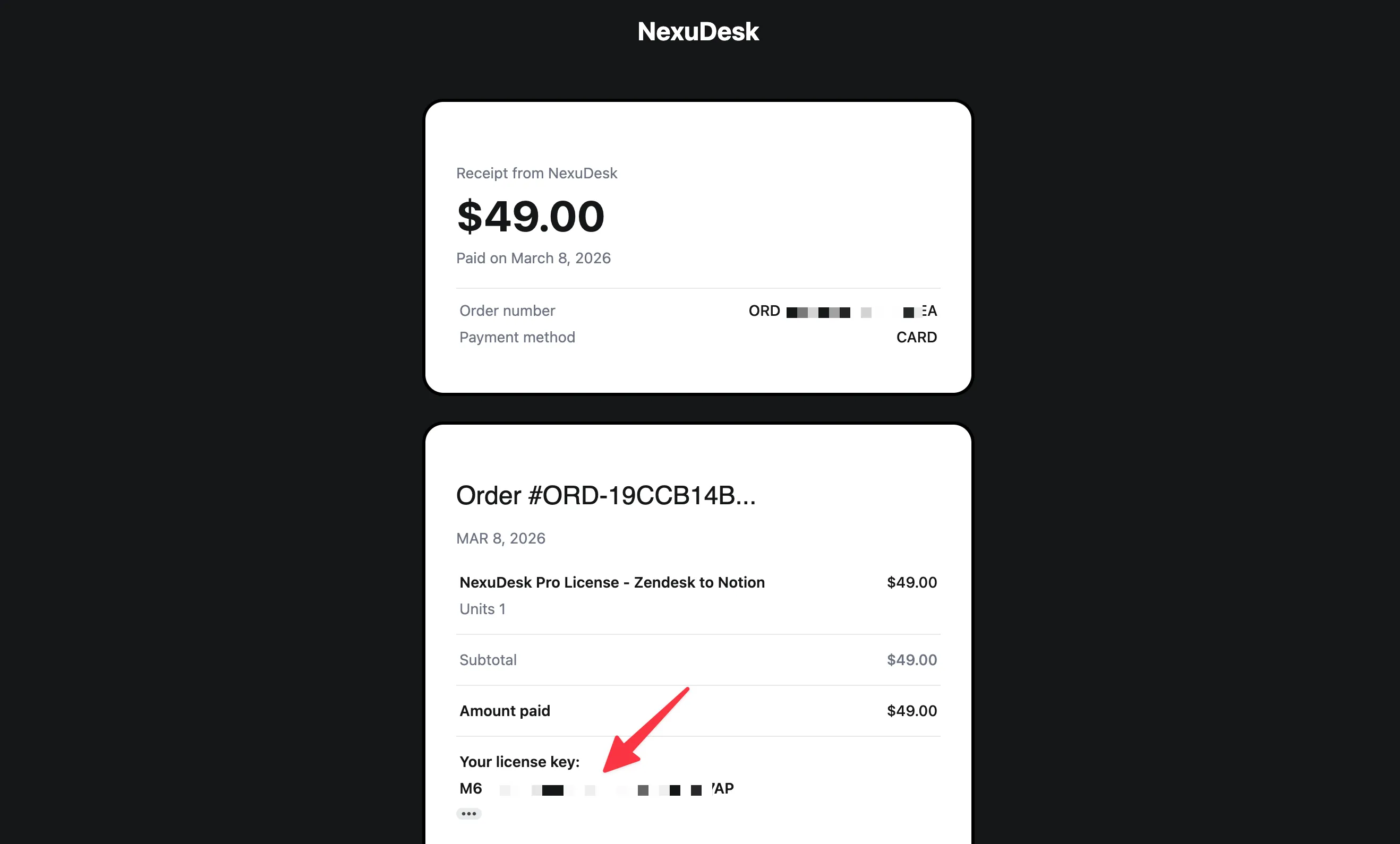
Find your license key in your email
After payment, Creem sends a confirmation email with your license key. Copy that key before opening the extension.
2
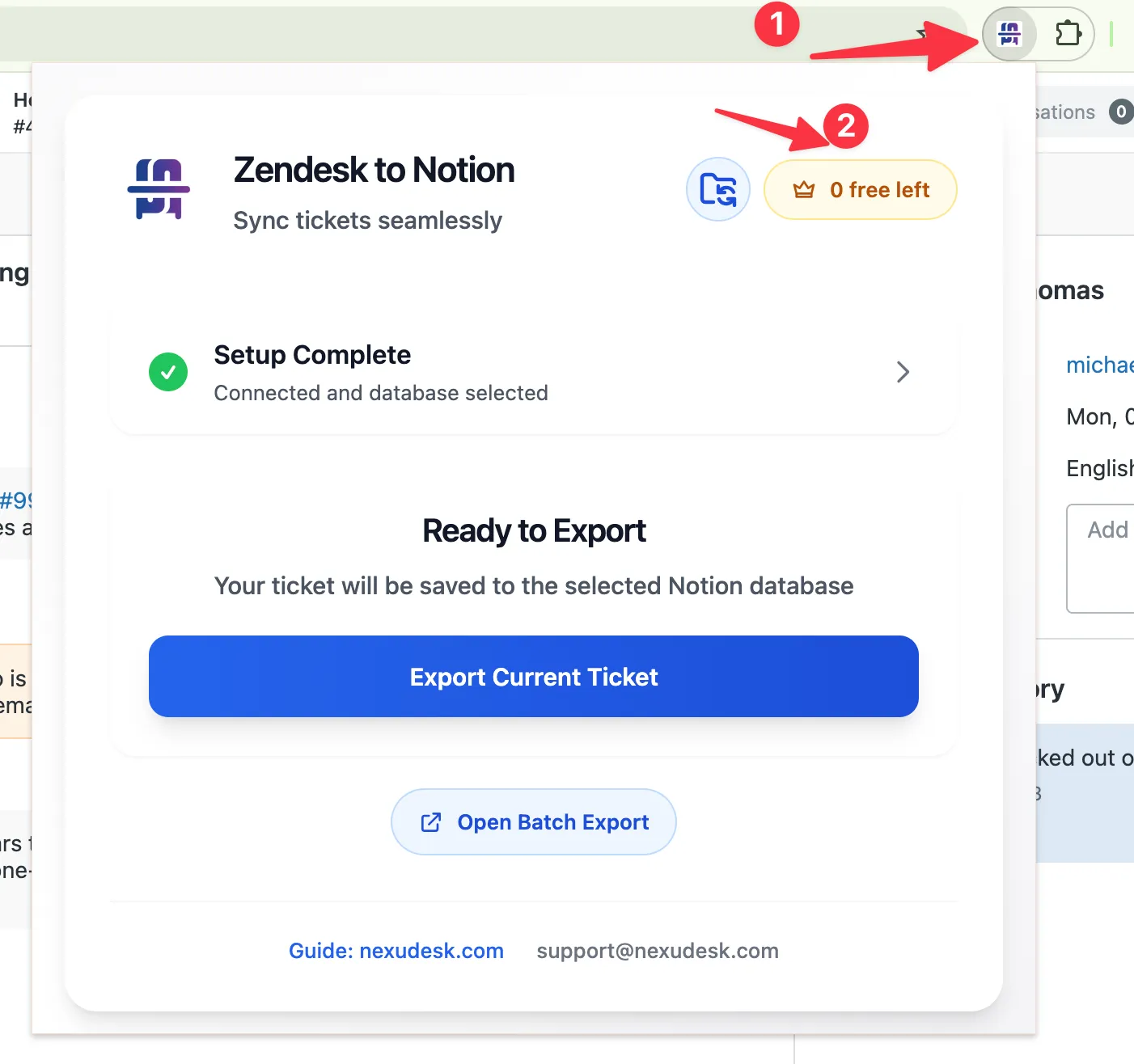
Open the browser extension
Click the Zendesk to Notion extension icon in your browser toolbar. If the activation dialog does not open automatically, open it from the extension popup.
3
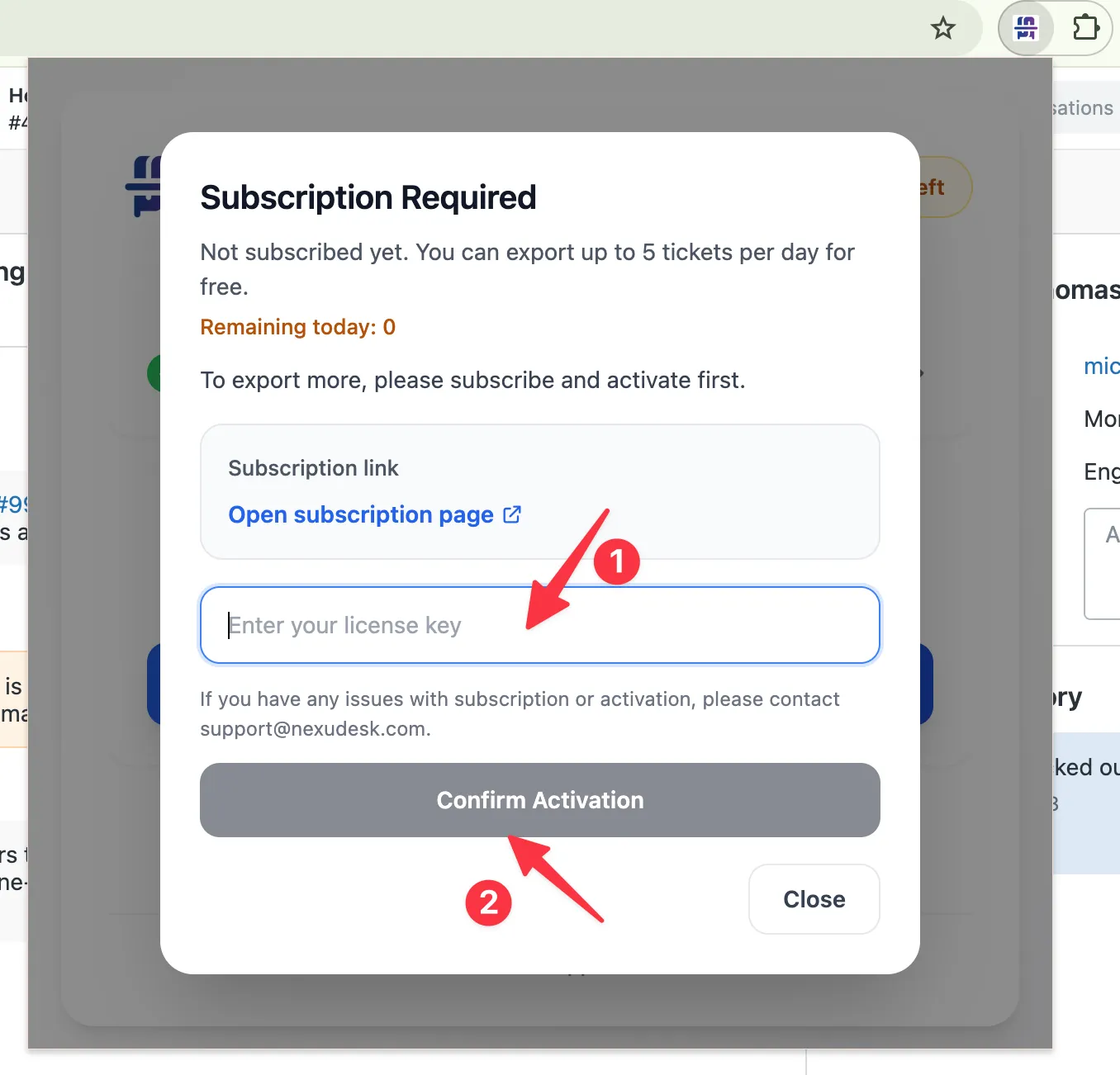
Paste the key and activate
Paste your license key into the activation input, then confirm activation. Once the key is accepted, full export access is enabled.
Need help?
If you cannot find your email or your key does not activate correctly, contact the [email protected] and include your purchase email address.